Pionaarr Mods
CDJ-900NXS · firmware 1.31

Pionaarr Mods

Firmware mods for the Pioneer CDJ-900NXS. We took the player's firmware apart in an emulator (QEMU, extended for the player) and added what newer Pioneer players have: hot cues on the deck, beat jump, colour and 3-band waveforms, keys in Camelot colours and more.

Pick the mods you want in the builder. It patches the official 1.31 update in your browser and gives you a normal C900NXS.UPD to install like any update. The boot loader is never touched, so you can always go back to stock.

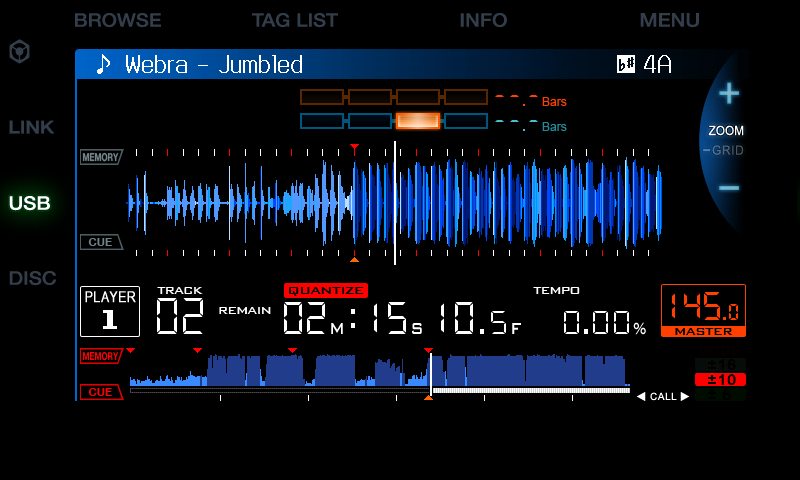
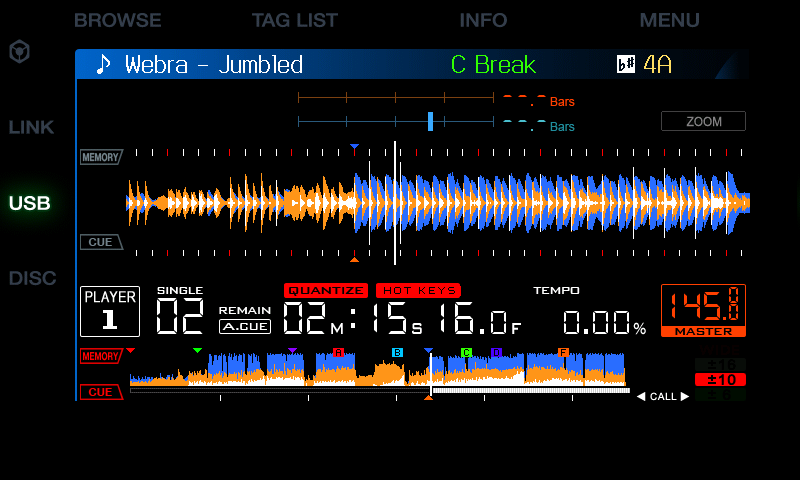
Stock CDJ-900NXS screen: blue waveform, red memory cues Modded screen: wide 3-band waveform, coloured cues and hot cues, HOT KEYS, key in colour, BPM to two decimals Stock 1.31 Pionaarr Mods
Same track, same spot, in the emulator. Right: every mod: the 3-band waveform to the right edge, the next cue's name, hot cues, the key in colour, the countdown clear of the phase meter.
14
mods in the builder, any combination
A–C
hot cues on the BEAT DIVIDE keys
0 bytes
changed in the boot loader
1 file
built in your browser, nothing uploaded

The mods

Two are by arnoldasr, the rest are Pionaarr mods.

stable experimental

Advanced waveforms

experimental
Pionaarr mod · advanced_waveforms
RGB waveform
RGB
3-band waveform: blue lows, amber mids, white highs
3-band

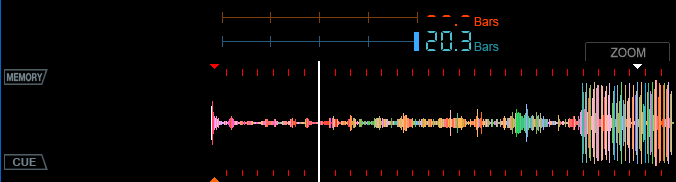
rekordbox's RGB colours on the big waveform and the overview. 1.0.1 takes colour data that is a little short too. UTILITY › WAVEFORM switches BLUE, RGB and 3-band (lows, mids, highs).

More →

Cue colours

stable
Pionaarr mod · cuecolours
Overview with coloured memory cues and hot cue boxes A to F

Memory cues in their rekordbox colours, hot cues A–H as lettered boxes. 1.0.1 keeps a hot cue's colour when it has a comment.

More →

Hot cue keys

experimental
Pionaarr mod · hotcuekeys
HOT KEYS shown next to QUANTIZE

QUANTIZE short: the top three BEAT DIVIDE keys become hot cues A–C. Hold an empty key to set one.

Hot cue guide →

Beat jump

experimental
Pionaarr mod · beatjump

TRACK SEARCH ◀◀ ▶▶ jumps 1, 2, 4 or 8 beats, gapless and in phase.

More →

Key notation

experimental
Pionaarr mod · keynotation
The key 4A in its wheel colour

Every key in Camelot, Open Key or classic, in its Camelot wheel colour.

More →

Cue names

experimental
Pionaarr mod · cuenames
Title bar with the next cue: C Break in green

The comment you give a cue in rekordbox ("Drop") in the title bar, in the cue's colour: always the next named cue ahead.

More →

Played tracks

experimental
Pionaarr mod · played
Track list: [1] Lunatica in green, loaded on player 1

Tracks loaded tonight turn green in BROWSE. Over Pro DJ Link modded players share theirs, and a track on another deck right now shows [1] or [1][3].

More →

End warning

experimental
Pionaarr mod · endwarn
Overview with the bar under it in red

In the last 30 seconds the bar under the overview blinks red instead of white.

More →

Wide waveform

experimental
Pionaarr mod · wide_waveform
The big waveform to the right edge, a ZOOM box above it

The big waveform to the right edge instead of the ZOOM/GRID wheel; a small box over the BPM says ZOOM or GRID.

More →

Quick search

experimental
Pionaarr mod · quicksearch

BROWSE held opens SEARCH; BROWSE twice goes to the list the playing track came from, straight there.

More →

USB auto load

experimental
Pionaarr mod · usbautoload

MY SETTINGS on a stick are loaded the moment the player finds them. UTILITY › USB AUTO LOAD.

More →

Extended BPM

stable
by arnoldasr · extended_bpm
BPM 145 with two decimals

The BPM to two decimals.

Phase meter

experimental
by arnoldasr · additions by us · phasemeter
Two-line phase meter, the bar countdown beside it

Two lines instead of four boxes: master and this deck. UTILITY › PHASE METER: OFF, ON or REVERSE; the bar countdown sits clear of the lines.

More →

LED animation

stable
Pionaarr mod · ledsaver

With the screen saver on, the button LEDs and jog rings play a loop.

More →

Boot text

stable
Pionaarr mod · credit
Boot screen: Pionaarr Mods 1.9.4

The boot screen says Pionaarr Mods 1.9.4.

Still to come: Upcoming.

Build it in your browser

The builder takes the official 1.31 update and adds the mods you tick, on your computer. Only the main application changes; the boot loader and recovery are copied byte for byte and checked.
Prefer the command line? The Python patcher is in the docs.