A set of firmware mods that bring features of newer players to the CDJ-900NXS:
an RGB waveform, a BPM to two decimals, a phase meter, rekordbox cue colours,
beat jump and hot cues you can play from the deck itself. Build your own update file
right here in the browser — the boot loader stays untouched.
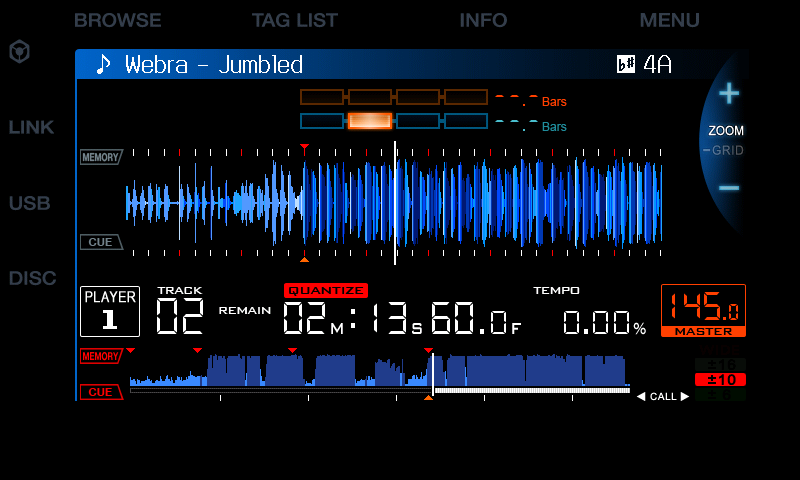
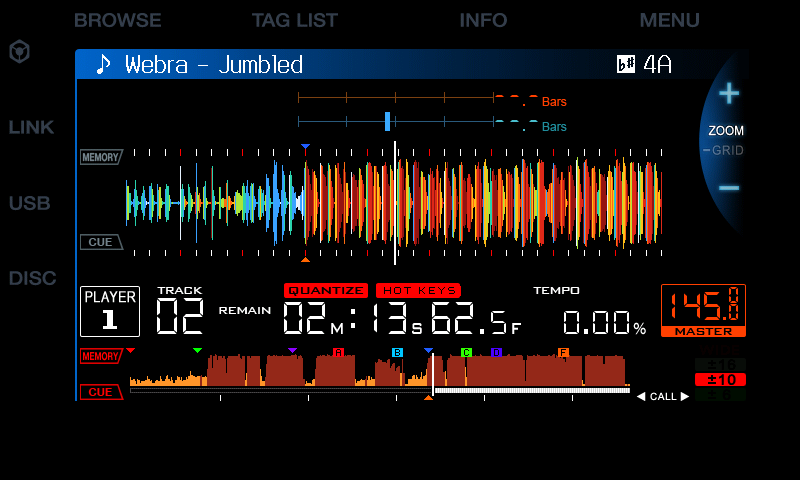
Same track, same position (2:13 into “Webra – Jumbled”). Drag to compare. Screens taken in the CDJ-900NXS emulator the mods were developed in.
7
mods, pick the ones you want
A–C
hot cues on the BEAT DIVIDE keys, loaded in the background
0 bytes
changed in the boot loader and recovery
1 file
a normal C900NXS.UPD, built in your browser
The mods
Each one compared with stock. Three are by arnoldasr, four are ours. Choose any combination in the builder.
stableexperimentalran on a player
🌈
RGB waveform rgb_waveform
by arnoldasr
ran on a playerstable
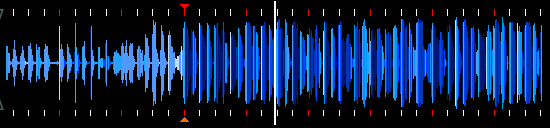
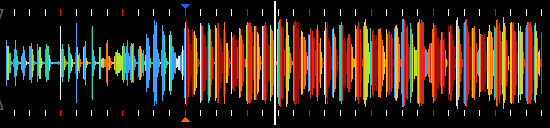
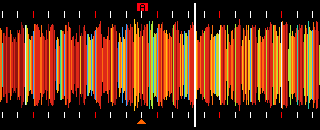
The big waveform in RGB colours, as on newer Pioneer players, instead of plain blue — and the whole-track overview at the bottom as a warm red-to-white gradient, so drops and breaks stand out.
StockRGB
Overview · stockOverview · gradient (with cue colours and hot cues)
StockBlue waveform, flat blue overview.
ModdedRGB waveform, red-to-white overview.
🔢
Extended BPM extended_bpm
by arnoldasr
ran on a playerstable
The BPM to two decimals: the tenths move into a small digit above, the hundredths take the place below — handy for matching tempos by ear and by eye.
StockTwo decimals
StockBPM to one decimal.
ModdedBPM to two decimals, stacked.
🎚️
Phase meter phasemeter
by arnoldasr
ran on a playerstable
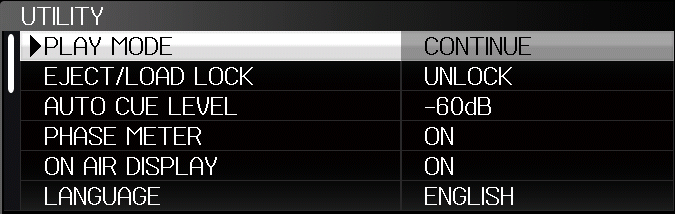
A two-line phase meter instead of the four boxes: orange for the master, blue for this deck, each with a marker that sweeps along the bar. Switched in UTILITY, where the rarely used SLIP FLASHING item becomes PHASE METER.
StockTwo lines
UTILITY › PHASE METER
StockFour boxes; UTILITY › SLIP FLASHING.
ModdedTwo lines with markers; UTILITY › PHASE METER picks the meter.
🎯
Cue colours & hot cues shown cuecolours
ours · made with Claude Code
ran on a playerstable
Memory cues take the colour you gave them in rekordbox. The hot cues stored on the USB (A–H) appear as lettered boxes in their rekordbox colour on the overview and the big waveform — the stock 900NXS ignores them completely.
StockHot cue A on the waveform
StockEvery memory cue a red triangle; hot cues not shown.
ModdedMemory cues in rekordbox colours; hot cues as coloured A–H boxes.
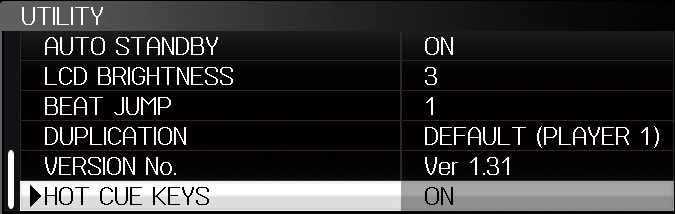
Play your rekordbox hot cues on the deck. A short press of QUANTIZE switches the hot key mode; the top three BEAT DIVIDE keys become hot cues A–C. After a track loads they are buffered in the background, so each starts at once — also from a pause, in CDJ and VINYL mode. Hold for a gate, set new ones while paused, delete them with DELETE; changes are saved on the USB with colours (A green, B orange, C blue).
StockHOT KEYS mode on
UTILITY › HOT CUE KEYS
StockNo hot cues on the 900NXS; BEAT DIVIDE keys only for loops.
ModdedHot cue mode: play, gate, set, delete on the BEAT DIVIDE keys; QUANTIZE still works when held.
TRACK SEARCH ◀◀ / ▶▶ jumps 1, 2, 4 or 8 beats along the rekordbox beat grid instead of changing the track — at once, without a gap and in phase with the other deck, as on the newest players. Chosen in UTILITY › BEAT JUMP (default 4 beats, kept when the player is off). Works playing, paused and at the cue. The jump is made in the audio the player has already decoded; a press it cannot jump yet (clicked very fast with 8 beats) is simply ignored instead of running the player dry.
StockTRACK SEARCH goes to the previous / next track.
ModdedWhole bars (4, 8) or beats (1, 2) forward and back, the phase meter stays where it was.
When the screen saver dims the display, the deck comes alive: the BEAT DIVIDE keys fade in a wave, SYNC and MASTER pulse against each other, the transport keys light one after another and the jog's three rings run inner, middle, outer and back — a loop of about four and a half seconds. Any key ends it. UTILITY › LED ANIMATION, on from the first start.
StockThe screen saver only dims the display.
ModdedButton LEDs and jog rings animate while it is dimmed.
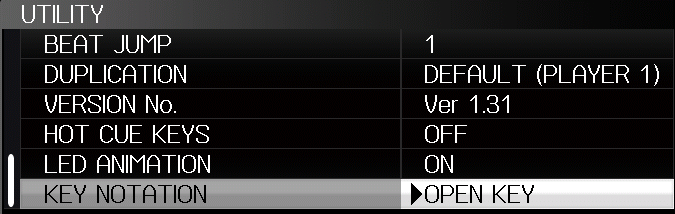
Every track's key in one notation, whatever rekordbox exported: Camelot (8A), Open Key (1m) or classic (Am), chosen in UTILITY › KEY NOTATION. The player converts on its own with a table of all spellings, sharps and flats included — on the main screen, in INFO and in BROWSE › KEY. The key shows in the colour of its place on the Camelot wheel.
As exported (Camelot): 4AKEY NOTATION › OPEN KEY: 9mWheel colour: 5A in orangeUTILITY › KEY NOTATION
StockThe key as rekordbox's export setting wrote it.
ModdedOFF, CAMELOT (default), OPEN KEY or CLASSIC — the same notation on every stick, in its wheel colour.
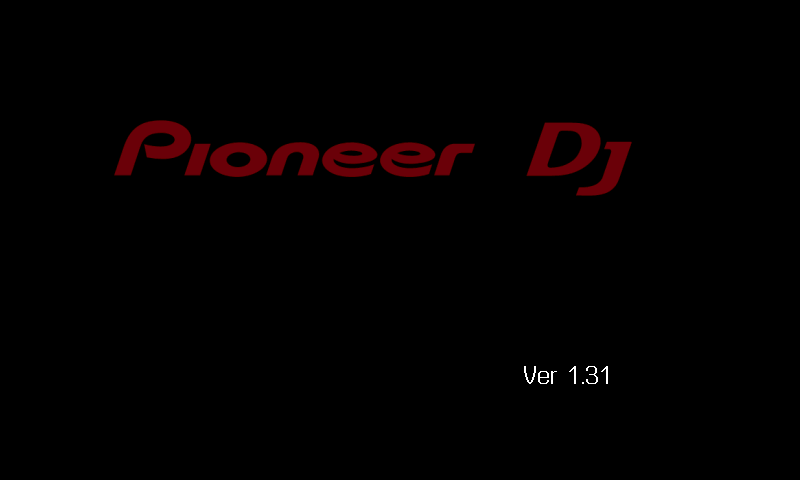
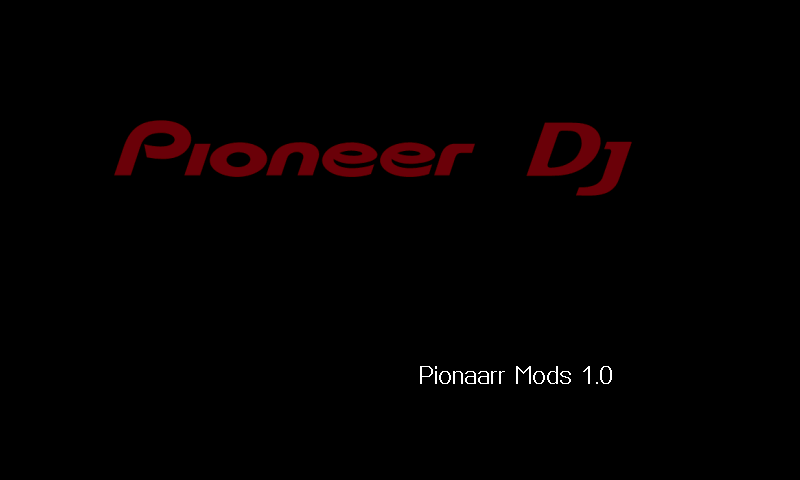
The boot screen tells you what you are running: Pionaarr Mods 1.0 instead of Ver 1.31. Leave it out to keep the stock text.
StockPionaarr Mods 1.0
More in the works — beat jump, coloured Camelot keys, stems and a 3-band waveform: see Upcoming.
Build it in your browser
The builder takes the official 1.31 update, adds the mods you tick and gives you a new C900NXS.UPD — all on your computer, nothing is uploaded. Only the main application changes; the boot loader, the recovery loader and the other sections are copied byte for byte and checked again before you can download the file.
Prefer the command line? The Python patcher builds the same file, byte for byte:
# pick the mods in a list$ python cdj900nxs_patcher.py C900NXS.UPD
# or name them$ python cdj900nxs_patcher.py C900NXS.UPD --mods rgb_waveform,extended_bpm,phasemeter,cuecolours,hotcuekeys
# back to stock$ python cdj900nxs_patcher.py C900NXS.UPD --stock