CDJ-900NXS Mods
Pioneer CDJ-900NXS · firmware 1.31

New tricks for an old favourite.

A set of firmware mods that bring features of newer players to the CDJ-900NXS: an RGB waveform, rekordbox cue colours, visible hot cues and hot cues you can play from the deck itself. Built into the player's own update file by a patcher that leaves the boot loader untouched.

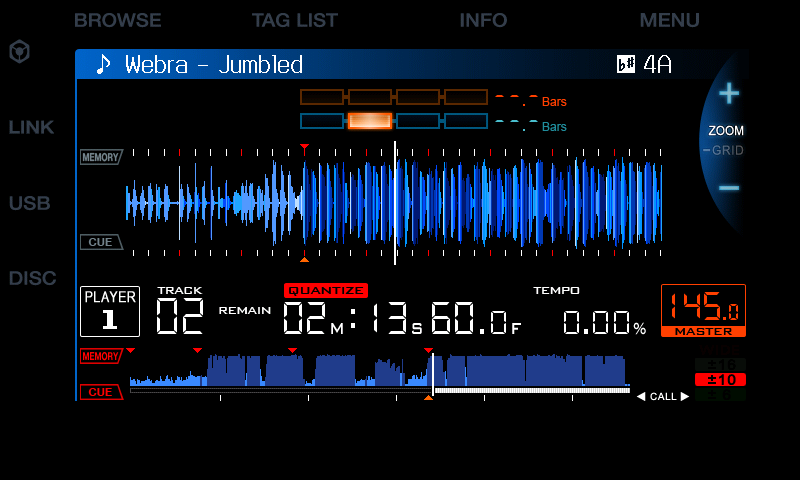
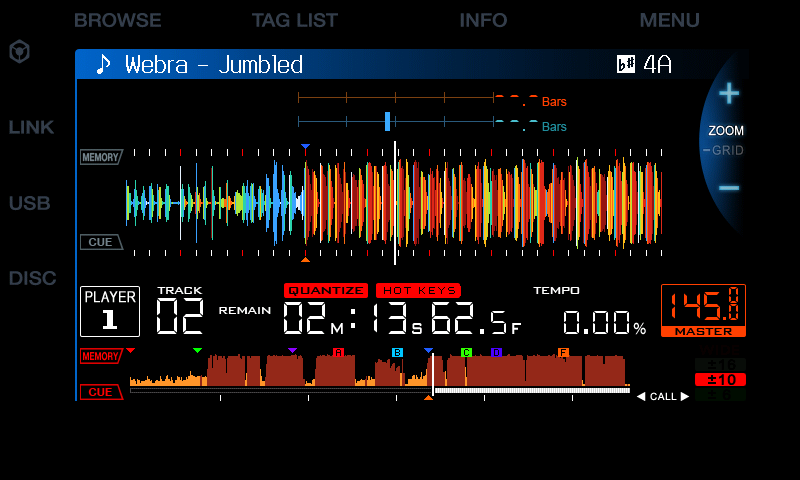
Stock CDJ-900NXS screen: blue waveform, red memory cues, no hot cues Modded screen: RGB waveform, coloured cues, hot cues A to F, HOT KEYS box Stock 1.31 Modded
Same track, same position (2:13 into “Webra – Jumbled”). Drag to compare. Screens taken in the CDJ-900NXS emulator the mods were developed in.
6
mods, pick the ones you want
A–C
hot cues on the BEAT DIVIDE keys, at once
0 bytes
changed in the boot loader and recovery
1 file
a normal C900NXS.UPD for the player's USB update

The mods

Each one compared with stock. Three are by arnoldasr, three are ours. Choose any combination in the patcher.

ran on a player emulator only partly tested known faults

RGB waveform, BPM & phase meter code

by arnoldasr
ran on a player

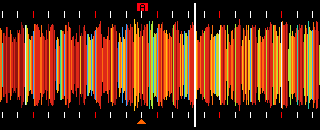
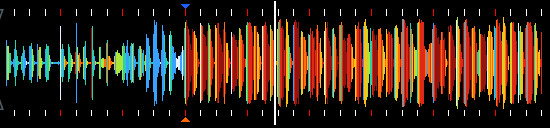
The detail waveform in RGB colours, as on newer Pioneer players, instead of plain blue. Plus the BPM with two decimals and a two-line phase meter.
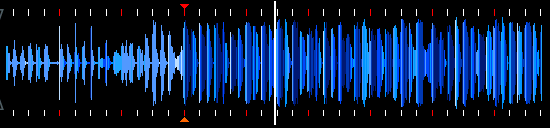
Stock blue detail waveform
Stock
RGB detail waveform
Modded
Stock BPM 145.0
BPM · stock
BPM with two decimals
BPM · two decimals
  • StockBlue waveform, BPM to one decimal, phase meter as four boxes.
  • ModdedRGB waveform, BPM to two decimals (stacked), phase meter on two lines.

Phase meter switch utility

by arnoldasr · needs code
ran on a player

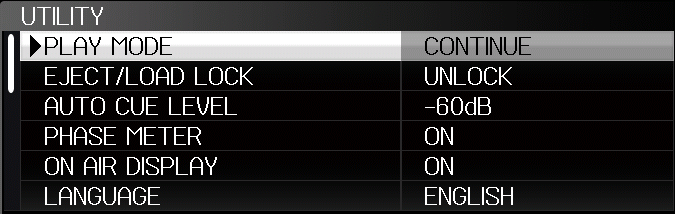
Choose the phase meter in UTILITY. The rarely used SLIP FLASHING item becomes PHASE METER.

Stock phase meter: four boxes
Phase meter · stock
Two-line phase meter
Phase meter · two lines
UTILITY menu with PHASE METER item
UTILITY › PHASE METER
  • StockUTILITY › SLIP FLASHING.
  • ModdedUTILITY › PHASE METER picks the meter.

Overview colour gradient overview

by arnoldasr
ran on a player

The whole-track overview at the bottom of the screen gets a warm red-to-white colour gradient instead of flat blue, so drops and breaks stand out.

Stock blue overview waveform
Stock
Gradient overview waveform with coloured cues and hot cues
Modded (with cue colours and hot cues)
  • StockFlat blue overview.
  • ModdedRed-to-white gradient.

Cue colours & hot cues shown cuecolours

ours · made with Claude Code
ran on a player

Memory cues take the colour you gave them in rekordbox. The hot cues stored on the USB (A–H) appear as lettered boxes in their rekordbox colour on the overview and the detail waveform — the stock 900NXS ignores them completely.

Stock: red memory triangles only
Stock
Hot cue A box on the detail waveform
Hot cue A on the waveform
  • StockEvery memory cue a red triangle; hot cues not shown.
  • ModdedMemory cues in rekordbox colours; hot cues as coloured A–H boxes.
Read more →

Hot cue keys hotcuekeys

ours · made with Claude Code · needs cuecolours
partly tested

Play your rekordbox hot cues on the deck. A short press of QUANTIZE switches the hot key mode; the top three BEAT DIVIDE keys become hot cues A–C, ready to start at once. Press to jump and play, hold for a gate, set new ones while paused and delete them with DELETE. The key LEDs show which hot cues exist.

Stock: QUANTIZE label only
Stock
HOT KEYS box beside QUANTIZE
HOT KEYS mode on
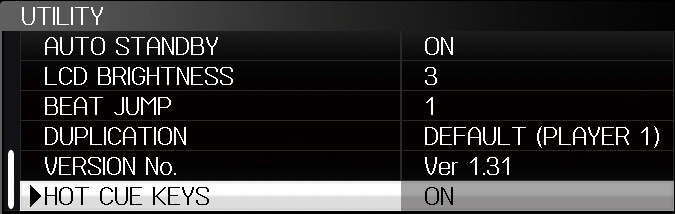
UTILITY menu with BEAT JUMP and HOT CUE KEYS items
UTILITY › HOT CUE KEYS
  • StockNo hot cues on the 900NXS; BEAT DIVIDE keys only for loops.
  • ModdedHot cue mode: play, gate, set, delete on the BEAT DIVIDE keys; QUANTIZE still works when held.
Hot cue guide →

Beat jump beatjump

ours · made with Claude Code
emulator only

TRACK SEARCH jumps 1, 2, 4 or 8 beats along the beat grid instead of changing the track, set in UTILITY › BEAT JUMP (which replaces SCREEN SAVER).

  • StockTRACK SEARCH changes the track; UTILITY › SCREEN SAVER.
  • ModdedTRACK SEARCH jumps beats; UTILITY › BEAT JUMP OFF / 1 / 2 / 4 / 8.
Rebuilt. Jumps while playing go through a buffer of their own and come back in phase; the CUE point and hot cues A–C stay. Needs hotcuekeys. Tested in the emulator only.

One patcher, your choice

The patcher takes the official 1.31 update, adds the mods you tick and writes a new C900NXS.UPD. Only the main application changes; the boot loader, the recovery loader and the other sections are copied byte for byte and checked again before the file is written.

# pick the mods in a list $ python cdj900nxs_patcher.py C900NXS.UPD # or name them $ python cdj900nxs_patcher.py C900NXS.UPD --mods code,utility,overview,cuecolours,hotcuekeys # back to stock $ python cdj900nxs_patcher.py C900NXS.UPD --stock

Before it builds, the patcher shows a disclaimer that you must accept. Full install guide →